
In short
The Meraki MX is a cloud-managed security and SD-WAN appliance from Cisco Meraki. It is a router and a firewall in one: it handles NAT, DHCP, VLANs and routing, a layer 3 and layer 7 stateful firewall, Auto VPN between sites and, with the Advanced Security licence, intrusion prevention, Talos content filtering and malware protection. Models are sized by Cisco's recommended device count, from 50 devices on the MX67 and MX68 up to 15,000 on the largest Cisco 8000 Series Secure Router running MX software, and a virtual vMX runs in public clouds.
Shop Cisco Meraki
Add products and licences to your basket, then check out when you are ready.
What the Meraki MX is
Cisco describes the Meraki MX as a multifunctional security and SD-WAN enterprise appliance: one device that replaces the separate router, firewall and VPN concentrator a branch office used to need. Like every Meraki product, it is configured and monitored from the Meraki dashboard in a web browser. There is no local management software to install, and new appliances download their configuration the first time they connect to the internet.
The MX family today covers three kinds of appliance, all running the same MX software and managed in the same dashboard:
- Meraki MX appliances, from small desktop models for branches to rack-mounted models for campuses and data centres.
- Cisco 8000 Series Secure Routers with MX software, the models whose names end in -MX, such as the C8111-G2-MX and C8455-G2-MX. Cisco's FAQ says these run MX OS for their whole life and cannot be converted to IOS XE.
- The virtual MX (vMX), a software appliance for public cloud platforms, covered further down.
Smaller sites and home workers have the Z-series Meraki teleworker gateway, which runs the same Auto VPN and firewall features in a compact box. The current range is listed with its licences in our Meraki firewall shop.
Shop security appliances
See all 25 products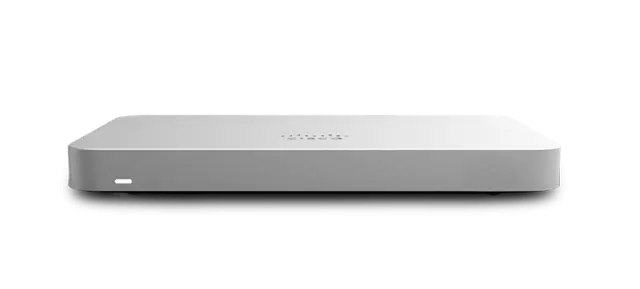
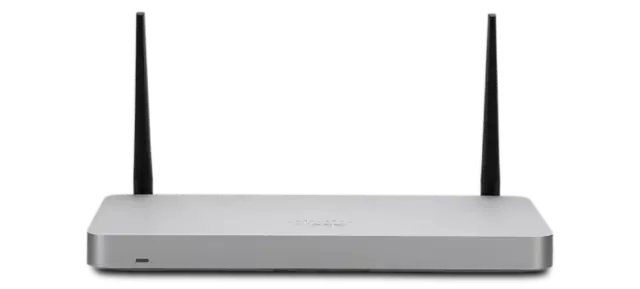
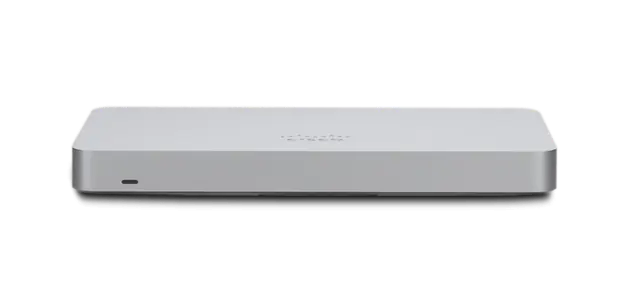
Meraki router or firewall? What the MX does
Both. The MX sits between your internet circuits and your LAN and does the job a router does, so it is the box people usually mean by a Cisco Meraki router. The routing side includes:
- NAT and addressing: 1:1 and 1:many NAT, VLANs and a DHCP server for each VLAN.
- Routing: static routes and, for VPN concentrators and data-centre designs, dynamic routing (Meraki lists BGP and OSPF on the vMX, for example). Cisco's datasheet also lists VRF segmentation.
- Several WAN links: two active internet uplinks on most models, with load balancing and automatic failover, plus a cellular backup. Cisco's FAQ says the Cisco 8000 Series models support up to four WAN uplinks from MX 26.1, depending on the model.
- Site-to-site VPN: Meraki Auto VPN to other Meraki appliances in the same organisation, and standard IPsec VPN to anything else.
- Quality of service: traffic shaping and prioritisation by application, using Cisco's NBAR application recognition.
The firewall side is a layer 3 and layer 7 stateful firewall, with the further security features in the next section. So the short answer to "router or firewall" is that a single MX is usually both, and the SD-WAN controller for the site as well. Our guide to Meraki SD-WAN explains how the MX chooses between internet links and builds VPNs between sites.
Meraki MX security features
The features an MX can run depend on its licence edition. Meraki's licensing table and the MX datasheets list:
| Feature | What it does | Licence edition |
|---|---|---|
| Stateful firewall (layer 3 and layer 7) | Allow or block traffic by address, port and recognised application | Enterprise and above |
| Client VPN | Remote users connect to the site's network | Enterprise and above |
| Group policies and 802.1X | Different rules for different users and devices | Enterprise and above |
| Geography-based firewall rules | Allow or deny traffic to and from countries | Advanced Security and above |
| Intrusion detection and prevention (IDS/IPS) | Snort-based inspection with rules curated by Cisco Talos | Advanced Security and above |
| Content filtering powered by Talos | Block categories of websites | Advanced Security and above |
| Cisco Advanced Malware Protection (AMP) | Block known malicious file downloads | Advanced Security and above |
| Umbrella DNS, Secure Malware Analytics and Cisco XDR integrations | Connect the MX to other Cisco security services | Advanced Security and above, each with its own separate licence |
Our Meraki Advanced Security licence guide covers the security edition in detail. Two practical points from Meraki's sizing guide are worth knowing before you choose a model:
- Security features use capacity. Meraki rates the performance impact of AMP, content filtering and web search filtering as low, IDS/IPS as medium, and on-device HTTPS inspection and large numbers of VPN tunnels as high. That is why each model has a separate, lower figure for throughput with Advanced Security features turned on.
- IDS/IPS halves the flow table on platforms whose base capacity is 500,000 flows or more, so busy sites with intrusion prevention need the headroom.
For organisations moving security to the cloud, an MX is often paired with a cloud security service rather than replaced by one; see Cisco SASE on our Cisco security site.
Compare, then add to your basket
Every product in our shop lists its order codes and licences, ready to add.
Meraki MX models and sizing
Meraki publishes an MX sizing guide that gives a recommended maximum device count for each model, based on its throughput, its feature set and its flow table capacity, counting each client as up to 50 flows. The figures below are Cisco's, taken from that guide for the current MX firmware; they come from lab testing, so Meraki recommends a proof of concept for unusual traffic. A "device" means a client device connected to the network, not a member of staff.
| Model | Recommended max devices | Firewall throughput | Throughput with Advanced Security (IPS prevention) | Recommended site-to-site VPN tunnels |
|---|---|---|---|---|
| MX67 / MX68 | 50 | 700 Mbps | 300 Mbps | 50 |
| MX75 | 200 | 1 Gbps | 500 Mbps | 75 |
| MX85 | 250 | 1 Gbps | 500 Mbps | 100 |
| MX95 | 500 | 3 Gbps | 1.5 Gbps | 250 |
| MX105 | 750 | 5 Gbps | 2 Gbps | 500 |
| MX250 | 2,000 | 7.5 Gbps | 2 Gbps | 1,000 |
| MX450 | 10,000 | 10 Gbps | 5 Gbps | 1,500 |
| C8111-G2-MX / C8121-G2-MX | 200 | 2 Gbps | 1 Gbps | 150 |
| C8235-G2-MX | 1,000 | 6 Gbps | 3 Gbps | 750 |
| C8355-G2-MX | 5,000 | 10 Gbps | 4 Gbps | 1,250 |
| C8455-G2-MX | 15,000 | 20 Gbps | 8 Gbps | 3,500 |
How to read the table when you choose a model:
- Start with devices. Count every phone, laptop, printer, camera and access point the site will have in a few years' time, not today.
- Check the security throughput, not the headline figure, if you plan to run Advanced Security features. It is the number that applies with intrusion prevention, malware protection and content filtering switched on.
- Check your internet circuits. An appliance should handle the combined speed of the WAN links it will carry.
- Hubs need tunnel capacity. A head-office or data-centre MX acting as a VPN hub is often sized by its tunnel count rather than its users.
- Ports and power matter too. Meraki notes that the MX68 and MX75 provide PoE+ on LAN ports, and the MX85, MX95 and MX105 on WAN ports (useful for powering an MG cellular gateway). Larger models add SFP fibre WAN ports, and some have dual power supplies.
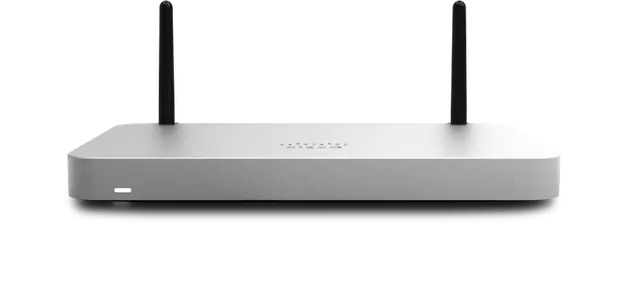
Wireless versions of the small appliances (MX67W and MX68W) add a built-in access point. The versions with a built-in cellular modem, the MX67C and MX68CW, reach end of sale on 27 November 2026, and Cisco's end-of-sale notice names the C8111-C-G2-MX and C8121-CW-G2-MX as their replacements. Older models such as the MX64 and MX100 are already past end of sale (Meraki's replacements are the MX67 and MX95); our Meraki end of life guide shows the support dates.
For a teleworker gateway, Meraki's figure for the Z4 is up to 15 devices.
Meraki MX status lights
The status light on the front of an MX is the quickest way to see whether it has reached the Meraki cloud. Meraki's installation guide for the MX67 and MX68 (including the MX68W and MX68CW) describes the main status LED like this:
| Status light | What it means |
|---|---|
| Solid orange | Power is on, but the appliance is not connected to the Meraki dashboard |
| Rainbow colours | The appliance is trying to connect to the Meraki dashboard |
| Flashing white | A firmware upgrade is in progress |
| Solid white | Fully operational and connected, using the wired WAN uplink |
| Solid purple | Fully operational and connected, using the integrated cellular uplink as failover (cellular models) |
On the Ethernet ports, a steady green light shows a link and a flashing green light shows traffic. The MX68 has two PoE+ LAN ports that supply up to 30 W each.
What to do with each state:
- Orange that stays orange: the appliance has power but no route to the cloud. Check the WAN cable and the upstream router or modem. If the line needs a static IP address, set it on the appliance's local status page, which is reached from a computer plugged into a LAN port.
- Rainbow for a long time: the appliance is still trying to reach the dashboard. Check that any upstream firewall allows it to reach Meraki's cloud, as Meraki's installation guide describes.
- Flashing white after first power-on: normal. Meraki recommends letting the first firmware upgrade finish before mounting the appliance, and the light turns solid white when it is done.
- Purple: the wired circuit is down and the site is running on cellular. Chase the primary line.
The reset button has two actions: a press of about one second deletes the downloaded configuration and reboots, and holding it for more than ten seconds performs a full factory reset. Larger models have their own installation guides with their own LED descriptions.
Not sure what you need?
Tell us about your sites and we will recommend the right kit and licences.
Meraki vMX: the virtual MX
The vMX is the MX as a virtual appliance. Meraki publishes setup guides for Microsoft Azure, and its vMX datasheet lists the other public cloud platforms it supports. It appears in the same dashboard as your physical MX appliances, and its main job is to bring cloud-hosted applications into your Auto VPN network: branches build tunnels to the vMX just as they would to an MX in your own data centre.
| vMX-S | vMX-M | vMX-L | |
|---|---|---|---|
| VPN throughput | 250 Mbps | 500 Mbps | 1 Gbps |
| Site-to-site VPN tunnels | 50 | 250 | 1,000 |
| Recommended max devices (sizing guide) | 500 | 2,500 | 10,000 |
From Meraki's vMX datasheet:
- Supported: Auto VPN termination from branches, IPsec VPN, client VPN, BGP and OSPF, one-armed concentrator mode and, from MX 18.2, NAT mode with one WAN and one LAN port. From MX 19.1, layer 3 and layer 7 firewall rules, content filtering and Security Center, and IDS/IPS on instances with four or more virtual CPU cores.
- Resilience: a vMX does not run as a traditional MX warm spare pair. Meraki's recommended design for head-end resilience is data-centre-to-data-centre failover, where branches hold tunnels to more than one hub, and Meraki documents a highly available vMX design in Azure.
- Licensing: every vMX needs a licence for its size, sold in Enterprise and Advanced Security editions for 1, 3 or 5 years. Meraki's licensing rules say that in an organisation on Advanced Security or Secure SD-WAN Plus, the vMX must be licensed for Advanced Security.
Traffic visibility and NetFlow export
The dashboard already shows traffic by client and by application, using the MX's layer 7 inspection. When you want that data in another system, for example a network operations centre that watches many sites or organisations, the MX can export NetFlow. Meraki's NetFlow overview explains how it works:
- Version: all MX and Z-series models export NetFlow version 9, so the collector must support version 9.
- Where to set it: Network-wide > Configure > General, under Reporting. Turn on NetFlow traffic reporting and enter the collector's IP address and UDP port. It is set per network or per configuration template, with one collector address.
- What is exported: source and destination addresses and ports, protocol, and byte and packet counts. The MX exports flows for traffic it routes or NATs; traffic switched within the same VLAN does not pass through it.
- Where the collector can sit: on the MX's LAN, across a site-to-site VPN or over the internet. Meraki points out that NetFlow is not encrypted, so a collector across the VPN is the tidier choice.
The MX also supports syslog for event and security logs, and remote packet capture from the dashboard for troubleshooting. If you want flows from switches too, Meraki documents NetFlow export on its Catalyst-based switches, such as the MS390 and the cloud-managed Catalyst 9300 models.
MX licensing in brief
Every MX, vMX and teleworker gateway needs a valid licence to operate. On co-termination licensing the MX is sold in three editions, applied across the whole organisation:
- Enterprise: firewall, Auto VPN, SD-WAN, traffic shaping, client VPN and high availability.
- Advanced Security: Enterprise plus IDS/IPS, Talos content filtering, AMP and geography-based rules.
- Secure SD-WAN Plus: Advanced Security plus Meraki Insight health views, SD-Internet steering and smart breakout.
Licences are specific to the MX model and are not transferable between models; a warm spare pair needs only one licence. Cisco's FAQ adds that existing MX licences cannot be moved to the Cisco 8000 Series Secure Routers, which need their own. On subscription licensing the MX uses Essentials and Advantage tiers instead.
Read Meraki Enterprise vs Advanced Security to choose an edition, and our Meraki licence directory for the order codes for each model.
How Forever Systems helps
Forever Systems is a Cisco Partner. For Meraki MX projects we can:
- Size each site against Cisco's figures: devices, circuit speeds, the security features you want and, for hubs, the number of VPN tunnels.
- Recommend the model, the licence edition and the term, and quote the appliance, licence and any accessories together.
- Design the WAN: dual circuits, cellular backup, Auto VPN hubs and warm spare pairs where a site cannot afford downtime.
- Pre-stage appliances in the dashboard so they come online with their configuration on first connection.
Shop the full Meraki firewall range: add the appliance and its licence to your basket and request a quote. Pricing depends on the model, the licence edition and the term, so ask us for a quote. If you would rather talk it through first, contact us.
Working with us on Cisco Meraki
Forever Systems helps organisations plan, buy and run cloud-managed networks built on Cisco Meraki wireless, switching, security and SD-WAN.
- Plan the network: we look at your sites, users and existing kit, and can arrange a wireless site survey before anything is ordered
- Choose the right products: access points, switches, security appliances, cellular gateways, sensors and cameras sized to what each site needs, rather than a one-size bundle
- Licensing made clear: we explain co-termination, per-device and subscription licensing, check renewal dates and quote the licences you need
- Deployment help: we can set up the Meraki dashboard, organisations, networks, templates and policies, and help move you from older or on-premise kit
- Ongoing help: changes, licence renewals and reviews as your sites grow, with the scope agreed at quote
Ask us for a quote and we will confirm what is included for your organisation.
Frequently asked questions
Is the Meraki MX a router?
Yes. The MX routes traffic between your internet links and your LAN, with NAT, DHCP, VLANs, static and dynamic routing, multiple WAN uplinks and site-to-site VPN. It is also a layer 3 and layer 7 stateful firewall and an SD-WAN appliance, so one MX usually replaces a separate router and firewall.
Which Meraki MX do I need?
Start with Cisco's recommended device counts: 50 devices for the MX67 and MX68, 200 for the MX75, 250 for the MX85, 500 for the MX95, 750 for the MX105, 2,000 for the MX250 and 10,000 for the MX450, with higher figures on the Cisco 8000 Series Secure Routers running MX software. Then check the throughput with Advanced Security features on, your circuit speeds and, for hubs, the VPN tunnel count. We can size it for you.
What do the lights on a Meraki MX68 mean?
Solid orange means power but no dashboard connection; rainbow means it is trying to connect; flashing white means a firmware upgrade is running; solid white means it is fully operational on the wired WAN; and solid purple means it is running on its integrated cellular uplink. On the ports, steady green is a link and flashing green is traffic.
Can the Meraki MX export NetFlow?
Yes. All MX and Z-series models export NetFlow version 9 to one collector per network or template, set under Network-wide > Configure > General > Reporting with the collector's IP address and UDP port. It covers traffic the MX routes or NATs.
What is Meraki vMX?
The vMX is a virtual MX for public cloud platforms, including Microsoft Azure. It terminates Auto VPN tunnels from your branches so cloud-hosted applications join your Meraki network. It comes in small, medium and large sizes (250 Mbps, 500 Mbps and 1 Gbps of VPN throughput) with Enterprise or Advanced Security licences.
Do Meraki MX appliances need a licence?
Yes. Every MX needs a valid licence to operate. Licences are per model, in Enterprise, Advanced Security or Secure SD-WAN Plus editions on co-term, or Essentials and Advantage tiers on subscription. A warm spare pair needs one licence. Ask us for a quote.
Ready to order?
Build your basket in our Meraki shop and send it to us for a quote.